Send a compounded prescription once, complete.
If your pharmacy uses RxPortal, it has given you its own portal address. Here is what you’ll find there. It runs in your web browser; there is nothing to install and nothing to pay.
Writing a prescription
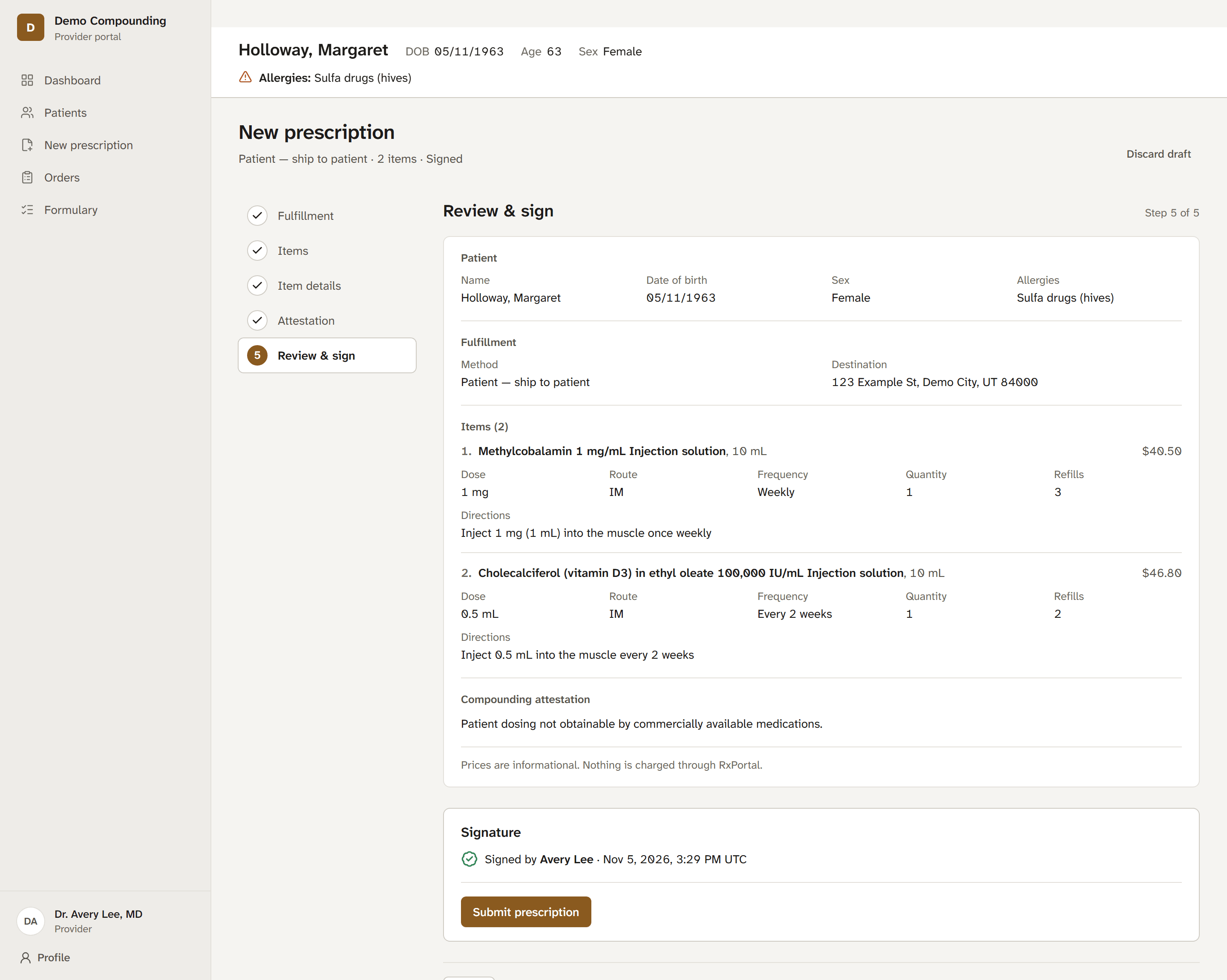
Five short steps, saved as you go. You can stop and come back to a draft.
- Fulfillment. To your clinic, picked up at the pharmacy, or shipped to the patient.
- Items. Search the pharmacy’s formulary, or start from the items you prescribe most. Out-of-stock items are labelled and can’t be added.
- Item details. Dose, route, frequency, directions, quantity and refills for each item.
- Attestation. For compounded items, the compounding attestation the pharmacy needs.
- Review and sign. Check everything on one page, type your name to sign, and submit.

After you send it
You can see where every order is without calling the pharmacy.
- Status on every order. Submitted, received, compounded, ready, shipped, on your orders page. Once email delivery is switched on, you’ll get an email when there is an update to see; it will never include patient or drug details.
- Questions on the order. If the pharmacy needs something, its question is waiting on your dashboard. Edit, sign again, and the order goes back with the same number.
- Renew in a few clicks. Start a new prescription from a past order, then review it and sign it again before it is sent. Anything no longer available is flagged for you to change.
- Print any prescription. A clean printed copy for the chart.
- Ask to cancel. Until the pharmacy has compounded an order, you can ask it to cancel.
Your patients
Shared with the pharmacy, with allergies in view on every prescription.
- Fewer duplicate patients. If the pharmacy already has a patient with exactly the same name and date of birth, you’re offered that record instead of creating a new one.
- Allergies up front. The patient’s allergies are shown at the top of every prescription.
- Every order for a patient. One list of everything you have sent for them.
How you get in
Your pharmacy invites you, or you request an account on its portal and it approves you. Its address looks like yourpharmacy.rxportal.app, with the pharmacy’s name in front.
Prescribers don’t buy RxPortal; pharmacies do. If you would like your pharmacy to use it, send them this page.